
InFlow MCP Server is Live: Business-to-AI (B2AI) Commerce Starts Now

Agentic Workflows Stall At Payment
When an agent workflow reaches a paid external service, the work stops. Agents cannot create accounts, pass verification flows, or move through the UI-driven payment systems built for human interaction. Until now, agent workflows still require humans to complete onboarding, authorization, and payment to continue.
A New Protocol for Agents
Model Context Protocol (MCP) is the standard that lets AI agents connect to external services. This protocol establishes how capabilities are exposed and invoked so agents can execute actions without custom integrations for any service.
Just as APIs define interaction with services, MCP defines coordination and execution across multiple access services.
Introducing InFlow MCP Server

The InFlow MCP Server gives agents the ability to onboard and pay for services directly within their workflow. Built as an agent-native wallet, it verifies every agent, governs every spend, and logs every action.
Sellers get the trust and auditability needed to transact with agents confidently.
Agents can check balances, authorize payments, and manage policies without ever leaving the workflow.
Supported Surfaces:
- MCP-enabled surfaces: Claude, and any MCP Client can connect directly to InFlow MCP Server
- Agent frameworks: OpenClaw and NemoClaw
Agent-Native Wallet Capabilities:
- Balances: Check current balances across currencies and wallets
- Transactions: View history and retrieve full transaction details
- Deposits and Withdrawals: View deposit addresses, create withdrawal addresses, and initiate withdrawals
- Policies: Create and manage rules to define what agents can spend, on which vendors, and at what thresholds
- Approvals: Review, approve, or decline pending payment requests
- Account: View account details and profile information
Get Started with InFlow
Create your InFlow account at app.inflowpay.ai/register and fund your wallet. InFlow supports USDC, USDT, PYUSD, and EURC on Base, Solana, Aptos, and World.
To connect InFlow to your AI tools and agents:
- Option 1: Search for InFlow in your AI platform's connector marketplace
- Option 2: Add InFlow manually by following instructions on our GitHub (github.com/inflowpayai/inflow-mcp)
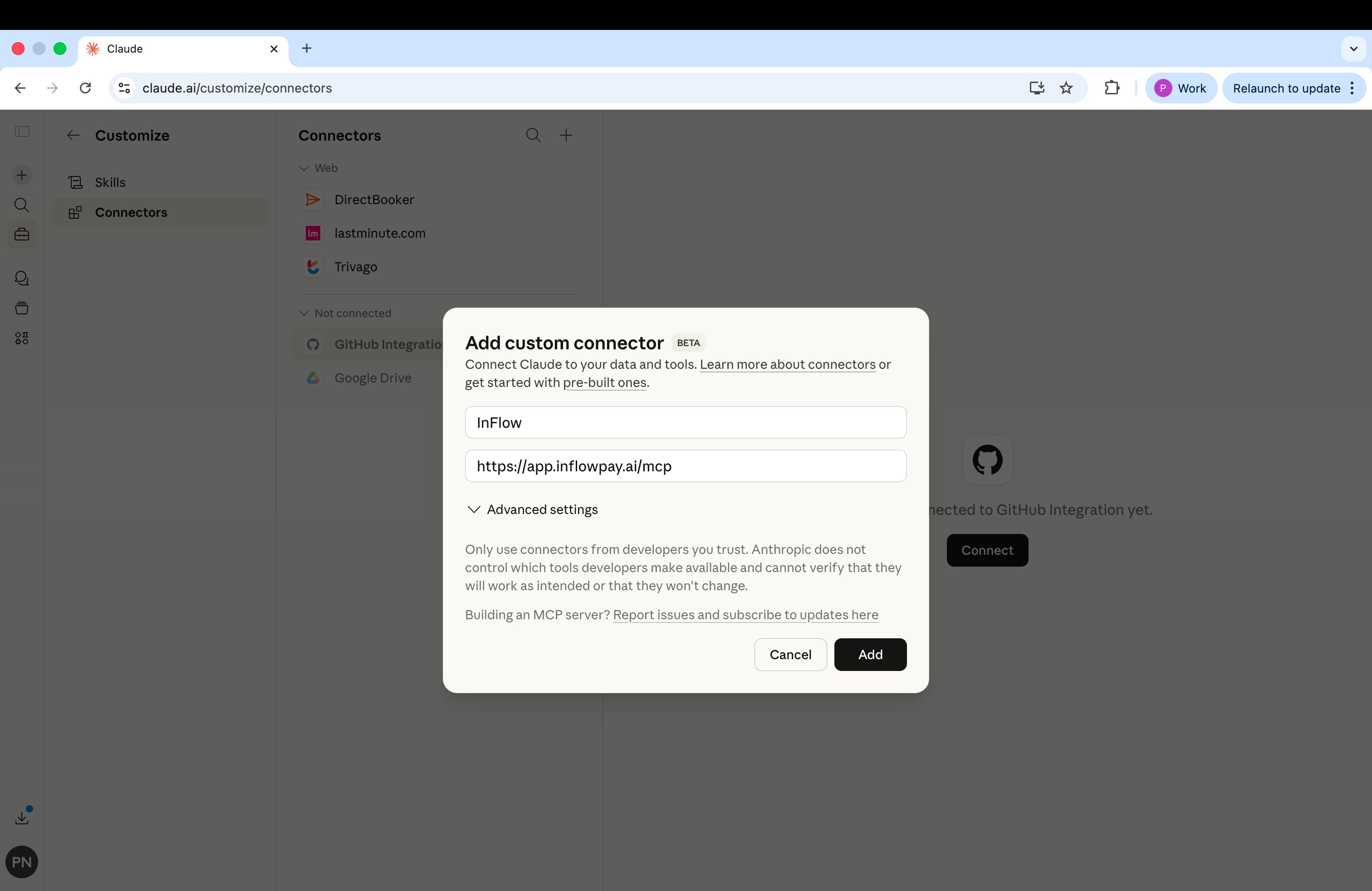
InFlow MCP Server Listings: Official MCP Registry, MCP Servers, Glama, Smithery, PulseMCP, Cline
Developer Resources
- API Docs: app.inflowpay.ai/documentation
- MCP Repo: github.com/inflowpayai/inflow-mcp
To join the InFlow community:
- Discord for real-time integration support for builders: discord.gg/XRBgawZU
- Demo to see agents paying for your services: calendly.com/pdang-inflowpay/demo
The infrastructure that powers agentic commerce needs to exist on both sides of every transaction. The seller side has been building. The buyer side starts today.